Reorganizing the school library’s Fiction area by Subjects—or what many call genres—has been a hot topic among School Librarians since the mid 2000s.
Some School Librarians question why we would change the way we’ve always done things, but we cannot let weak rationale stand in the way of a wise professional decision that can increase reading for our students and increase circulation in our School Library.
True, reorganizing Fiction may not work for every school, but most School Librarians who’ve tried it report improved—even startling—results. Here’s why and how a School Librarian may decide to organize the Fiction book area by Subjects.
WHY REORGANIZE FICTION?
The most often-used argument against reorganizing fiction into Subjects is that it will hinder a student’s ability to locate books in other libraries. This claim doesn’t stand up:
- Nearly all academic libraries use Library of Congress organization, and thousands of college students who come from Dewey-organized libraries are still able to locate the books they need. They don’t have to know the LOC system; they know they just need to use an item identifier—the Call Number—and follow the signage to where the Call Number is located.
linebreak - Retail bookstores use BISAC, a subject-based system, and millions of people have no trouble finding what they need—again, because they can follow the signage.
linebreak - Many public libraries are now re-organizing their fiction book collections, to the delight of both young folks and adults—and they also use signage to guide patrons to what they need.
So, signage is the key in every library for finding materials, and signage will help your students locate the different Subjects in a reorganized Fiction area. Your signage can include actual signs for each Fiction Subject, plus labels on each section of shelves, and Subject classification labels on the spines of the books.
Another common argument against re-organizing Fiction is that it doesn’t follow professional standards, but this is another specious claim:
- If we went strictly by the Dewey Decimal Classification System, we wouldn’t have a separate Fiction area at all. The DDC assigns the number 813 to American Fiction Literature (and 823 to British Fiction Literature). It was only after fiction literature became such an overwhelming part of the 800s that librarians separated fiction books into it’s own area and replaced the Dewey number with F or FIC.
linebreak - Since the late 1800s, the Dewey Decimal System has provided a universal organizing structure for libraries, yet today it’s far different than it was 140 years ago…or even 4 years ago! Every year OCLC makes changes to DDC to collocate like disciplinary materials; some of these are massive changes, like moving all Pets from Science’s 590 Animals into Applied Science’s 636 Animal Husbandry. So, the Dewey Decimal System is not carved in stone…and our library shouldn’t be either!
The best argument FOR reorganizing fiction is that the purpose of a school library is to serve the needs of students. Many students prefer certain kinds of stories, and with the limited time students are given in order to find and choose a good book, we can make it easier for them by grouping like stories together. Using any library with a different organization system isn’t difficult, as long as students are properly taught about locations and identifiers. We can only know what will benefit our students unless we experiment; and if it doesn’t work, we can always change it back. (…which is easy if you follow my guidelines below!)
WHY USE “SUBJECT” INSTEAD OF “GENRE“?
Many folks refer to “genre” when speaking of Fiction stories, but students learn in their English Language Arts class that genres are types of literature—narrative, expository, poetry, and drama—rather than different kinds of fiction stories. Once I began to use the term “Fiction Subjects”, students wouldn’t be confused and teachers appreciated that I was supporting their curriculum, which is our primary goal.
Since we typically teach the Dewey system as Subjects, kids easily associate “Subjects” for Dewey books with “Subjects” for Fiction books: we have Science, History, and Fairy Tales in Dewey, and we have Science Fiction, Historical Fiction, and Fantasy in Fiction. (I use the term “Dewey books” rather than non-fiction to avoid confusing students; one is the location on the shelves, the other is the content inside the book.) I’ve taught it both ways—genres vs. subjects—and using the term “Subjects” is wa-a-a-ay more successful!
NO SWEAT METHOD TO REORGANIZE FICTION BY SUBJECTS
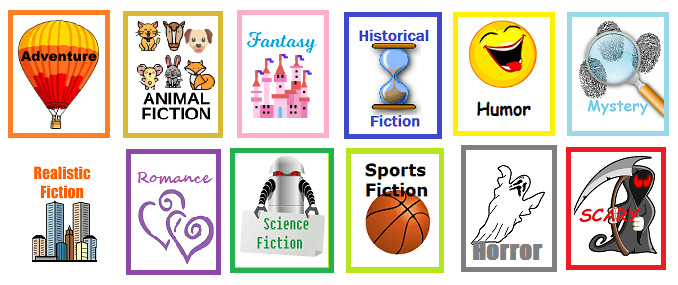
The easiest way to show the Subject of a fiction book is with a Subject Classification label underneath the existing spine label (or just above it if yours are at the very bottom). Students already know to look at a spine label, so just under it is an optimal placement. Common Subjects to use are: Adventure, Fantasy, Historical Fiction, Horror, Humor, Mystery, Realistic Fiction, Romance, Scary, Science Fiction, and Sports. I personally prefer Scary instead of Horror because middle schoolers typically ask for “scary books”.
| Demco has some excellent Subject labels, but if your budget is tight you can create your own spine labels with my templates for Fiction Subject (genre) Signs, Shelf & Book Labels, which print on blank label sheets. They are available in No Sweat Library, my TPT store. |
 |
YOU WON’T NEED TO CHANGE CALL NUMBERS!
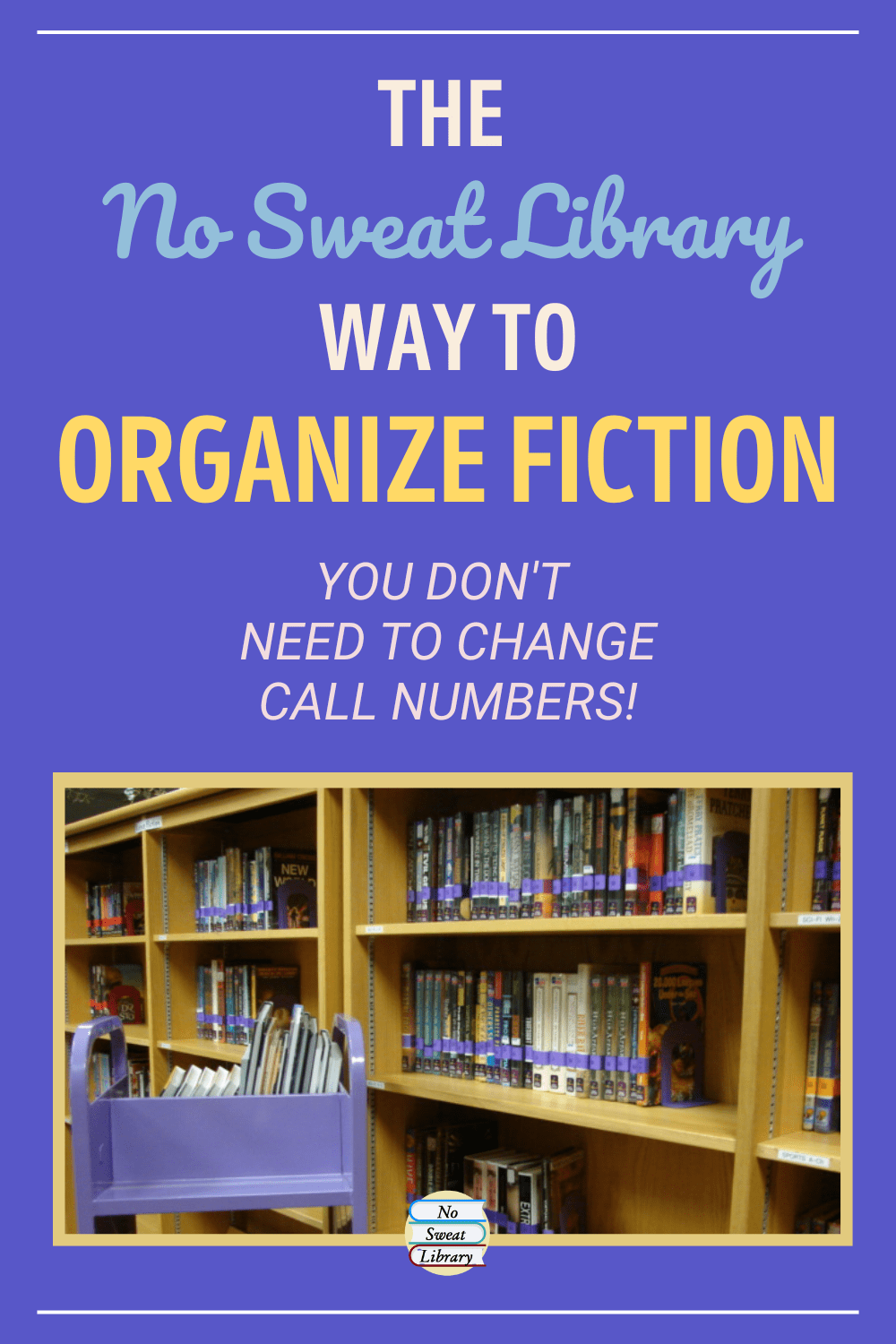 Busy school librarians do NOT want to redo Call Numbers nor spine labels on books, but need a way to easily differentiate Subjects at a glance. Nancy Limmer, West Memorial Junior High Librarian in Katy TX, offers the ideal solution: use Demco color-tinted label protectors.
With those, the only change needed to spine labels is applying the different colored protectors over them (which you can peel off later if you decide to return to alpha order). I coordinated the color-tinted protectors with the labels: light green, light blue, dark blue, red, pink, purple, orange, yellow, and tan. I love telling students that “Blo-o-o-dy Red” is for the Scary stories!
Most School Librarians can’t close up the library or stop circulating books during the reorganizing project, so this simple labeling process allows you to apply Subject labels and color covers to books whenever time is available, and then make big changes once all the labeling is finished.
First, Identify Book Titles For Each Subject
Library automation systems have different types of reports, one of which will compile books based on the ‘Subject’ field in the MARC record. My report was called Bibliographies by Subject and yours should be similar. The report can sort by Call Number which makes it easy to locate books on the shelves for labeling.
That MARC record ‘Subject’ is where the catalog gleans title results for a search “By Subject”. This is another reason to use the term “Subject” instead of genre, because students quickly grasp doing a search “By Subject” for their favorite kind of story, whereas a ‘genre’ search isn’t even possible.
By the way, the MARC Subject in the catalog is the same ‘Subject’ that’s found in the Cataloging-in-Publication (CIP) data on a book’s copyright page, should you need ideas on what Subjects to run reports for. (Need I reiterate the preference for Subject?)
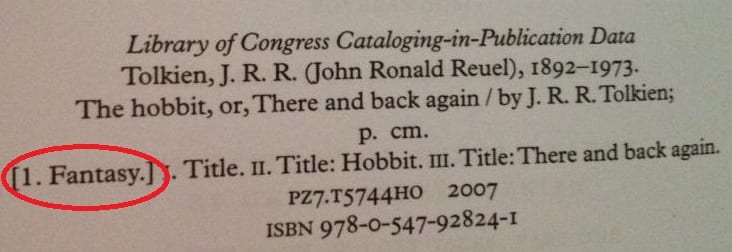
Example CIP Subject
I ran reports in my system for these MARC/CIP Subjects:
- mystery (also mystery & detective stories)
- science fiction
- fantasy
- adventure (also adventure & adventurers)
- humor (also humorous stories)
- historical fiction.
I had to get creative for difficult Subjects:
- For romance in a middle school library, I searched ‘dating’ and ‘relationships’.
- For Scary, I did ‘horror’ and some of its alternatives, such as supernatural, paranormal, good & evil.
- For sports I ran lists of specific sports. In the end I expanded my Sports and Humor sections by pulling relevant books from other Subject groups.
- The term “time travel” produced mixed results, and I decided to put these books into Fantasy or Science Fiction depending whether the travel was magical or machine.
Second, Label Books with Subject Labels & Color Label Protectors
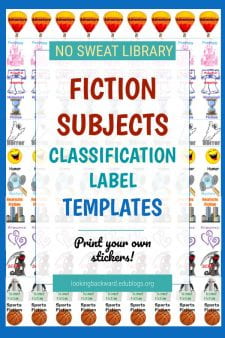
Pick one Subject and when shelving books, or when you have a little extra time, go down the aisle with the list, add Subject labels and spine label covers, and cross each book off the list. You’ll have to go through the lists more than once to pick up returned books, but this method allows you to continue circulating books throughout the project. I did mine during a fall semester, and by the middle of December I was done identifying and labeling. It was pretty cool to walk down the aisles and see such colorful shelves.
(If you don’t want to physically move books into separate sections, you can stop here.)
Third, Change Shelf Location in the Library Automation System
Every library automation system has a Home Location field that changes when a book is checked out to someone. Our system’s default term is “On the Shelf” and changes to “Checked Out”. We added our Fiction Subjects to the Home Location field so when students do a book search they see the Fiction’s Subject term instead of the default term and know to go to that Subject location to find the book.
To begin the location change, go through the bookshelves and pull books of one Subject onto a cart, then use your batch change feature (mine is called Global Change) to change the Home Location for the entire cart of books. Return the books to their alphabetical shelf as a group, since you’ll be pulling them off again when you move them to their final shelf locations.
Move on to the next Subject and do those batch changes; continue with each Subject until you’ve changed the Home Location for the entire Fiction area. I did this task during final exam week in December when the semester’s books had been returned and I didn’t have students checking out. It only took 2 days to change the Home Locations for all of our ~10,000 Fiction books.
Fourth, Determine the Number of Shelves for each Subject
Once you’ve changed the Home Location for all your books, you can determine the number of shelves needed for each Subject by running a report that gives you the total number of books for each new Home Location, that is, the Fiction Subjects—my report is called “Count Items by Home Location.”
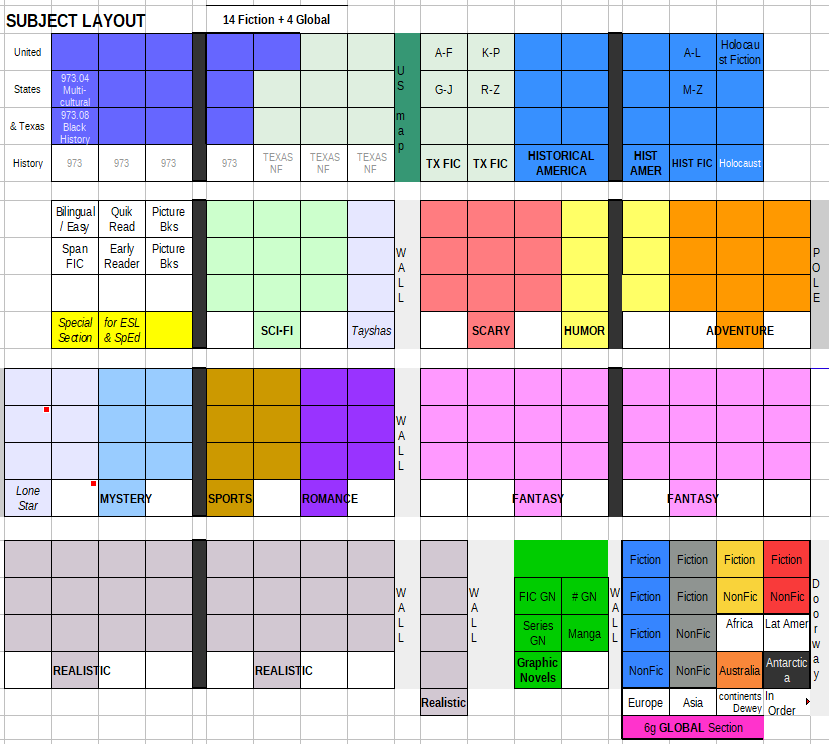 Create a map of your bookshelves and, allowing about 25 books/shelf, determine the best group of shelves for each Fiction Subject. Then devise a plan to expeditiously move books. I did my map over winter break, and at right is the arrangement I ended up with.
The first 3 days back at school in January I moved books and created new signage to coordinate with the colors of the Subject labels. On Thursday, when Language Arts classes began coming in for checkout, students were delighted to see our “new” Fiction area!
MY RESULTS
Organizing by Subjects has been a big hit with students—EVERYONE can find a book and our circulation numbers tripled for the second semester. I got so excited I ordered new Demco bookends and carts, color-coordinated with label colors, to make it more fun to shelve books!
Looking back, there are two major benefits of this method and why I keep pushing it to other school librarians:
- no changes to the book’s Call Number, either in the automation system or on the spine label. Changing Home Location was quick with the batch feature, and it would be just as easy to change back to alphabetical with the default location term if the next librarian so desired (although I can’t imagine why they would!).
- I could keep the library open for the entire time, taking advantage of closed days at the end and beginning of semesters to complete larger tasks.
Preparing new book orders is very easy. I create a separate purchasing list for each Subject and print them out. Then I combine the lists into a final alpha-by-Author order list to submit to the vendor. When the new books arrive, I use the printed lists to organize them on carts by Subject, then apply the labels and color protectors.
For more information about the Subjects I used for my reorganization and how you can decide which ones to use, read my blog post: School Librarians Can Organize Fiction Using These Subject Terms.

Updated 2023.