
 As a school librarian, I find that emailing long lists of website URLs willy-nilly to teachers is NOT a good idea.
We may get a “Thank You” from a teacher or two, but most don’t have the time—or desire—to wade through random links for something useful. A teacher would never give a long list of websites to students. Doing so is not productive learning, so this is a waste of everyone’s time.
The major negative with this method is that there’s no direct contact with the School Librarian for further interaction. However, I’ve found 2 ways for sharing websites that are effective because they promote collaborative planning between teachers and the School Librarian.
SHARE A TOPICAL WEBSITE PERIODICALLY
While emailing a list of URLs isn’t effective, there is a productive way to email teachers about valuable online resources that they’ll be likely to appreciate and use, and which will invite collaboration.
Each month I send teachers a short email called Monthly Media Minute about a particular pedagogical, curricular, or technical topic that would be helpful for most of my teachers. I write 2 or 3 sentences about the topic, include one link to a website or to an article in one of our online subscription services, and then add another sentence on how a Library Lesson can use this topical site to enhance classroom learning.
Teachers who can use the topical link can easily click on it, and for those not interested, a minute of reading isn’t much time wasted. Because I’m careful about the topics I choose and the length of text I include, my teachers open each month’s email and I receive many thank you’s from my colleagues. Monthly Media Minute has been a success for many years and has produced several requests for collaboration that have become valuable recurring Library Lessons.
BEST STRATEGY FOR SHARING WEBSITES WITH TEACHERS
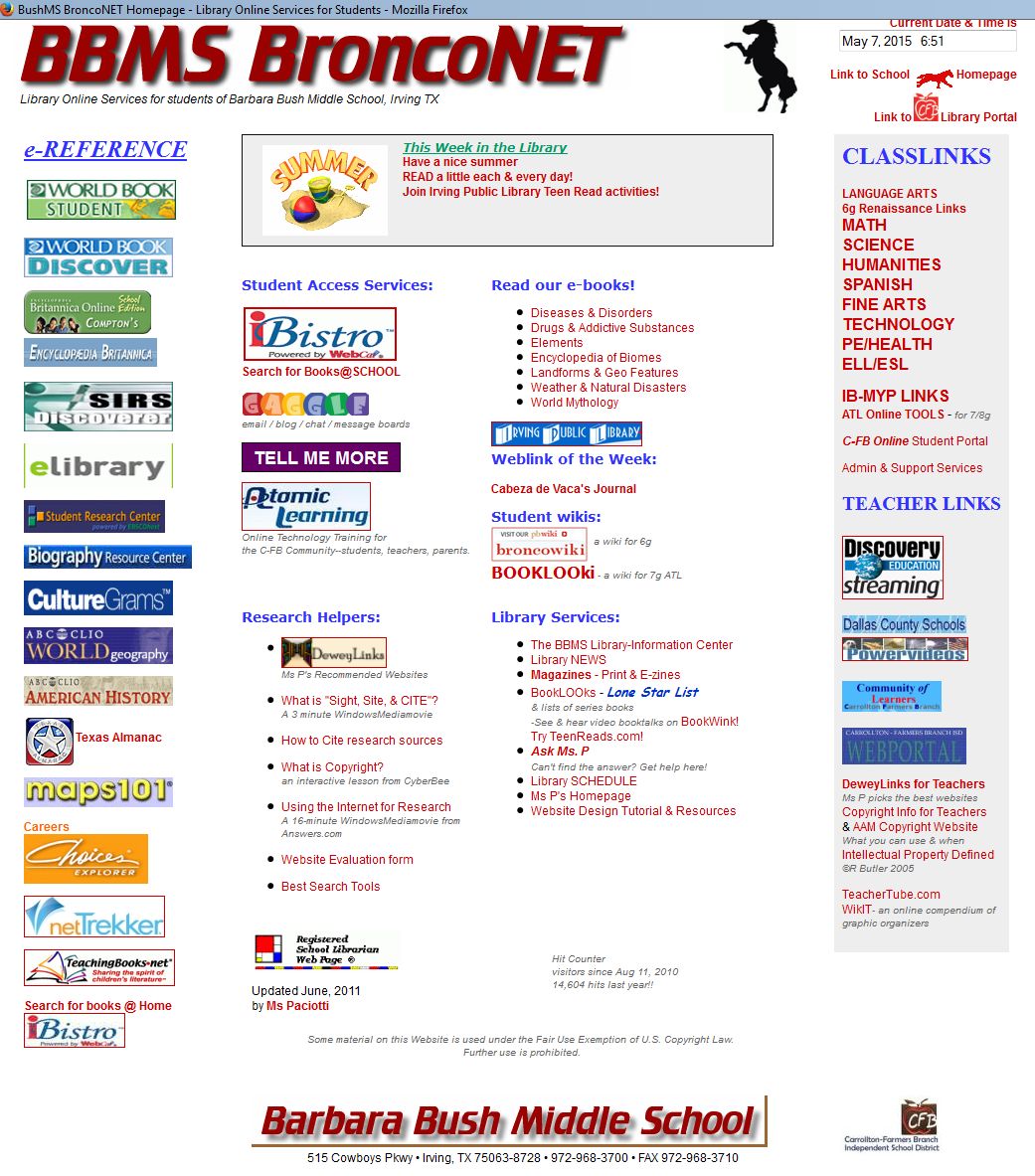
BroncoNET, my Library Website, with ClassLinks along the right side
Instead of emailing random link lists, I use a strategy that promotes collaboration with teachers: I compile relevant websites on a school library webpage for subject-area teachers.
Our library homepage is a one-stop resource for students and teachers. On the left side is a column of links to our online subscription services and on the right side is a column called ClassLinks. Under ClassLinks is a list of subject areas, each of which links to its own Subject ClassLinks page. On the Subject ClassLinks page, each teacher has a section with collaboratively chosen websites, resource lists, digital documents, infographics, Hyperdocs, or other online resources that support current classroom activities.
At the start of each grading period, I approach certain teachers about the pertinent websites and I suggest a Library Lesson on how they can enhance classroom learning for their students. This strategy is quite appealing to teachers, and they frequently accept the offer.
During the Library Lesson I open the library homepage and remind students our Virtual School Library us the best place to find high-quality resources. I explain to students that ClassLinks are pre-selected so they don’t need to do website evaluation and can safely use them to complete the assignment. Depending on the purpose of the lesson I may also review bibliographic citation of websites because, though the sites are OK, students still need to give proper credit for what they use.
This entire process takes maybe 10 minutes of class time, so using ClassLinks maximizes the time students then have for pursuing information. My presentation can be in the library, or I can pop into a teacher’s classroom or computer lab for the few minutes it takes to present the lesson. With either scenario I have engaged in a direct teach and students learn that not only am I the person to come to for books, I am the person to come to for online resources!
My teachers rely on ClassLinks because it’s faster than giving kids a printed page of URLs to type—often incorrectly—into a browser. Many prefer using their ClassLinks page rather than adding links to their own webpages, because it saves them time and, if there’s a URL that’s incorrect, they know I’ll figure out the correct one!
I have an easy way to update ClassLinks pages each grading period for upcoming subject-area library visits or classroom assignments. I keep “hidden” subject area pages of the topical lists by grading period, so I verify that links are still valid, confirm with teachers the upcoming lesson, then copy the “hidden” links to the visible Subject ClassLinks page.
HOW TO KEEP UP WITH VALUABLE WEBSITES
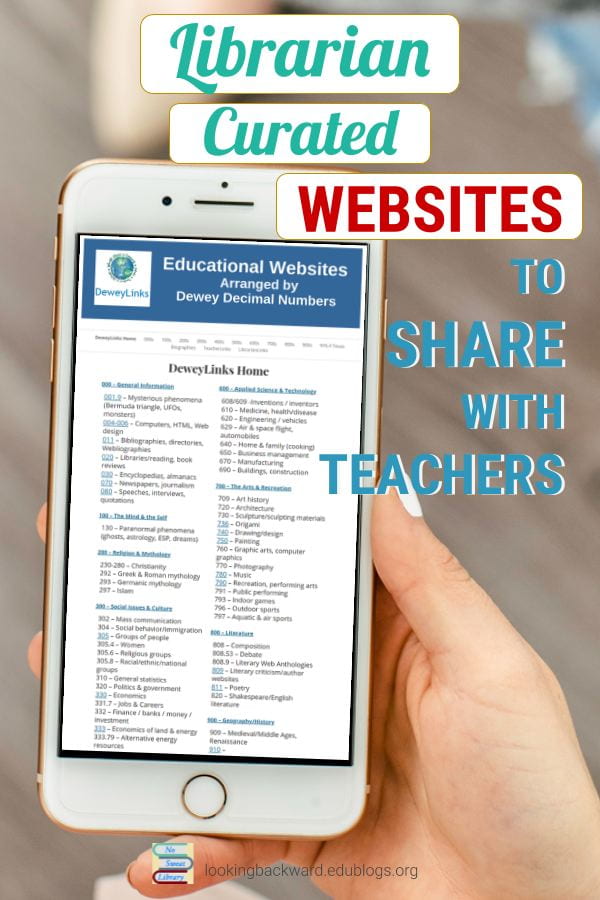 I’m able to create these link-lessons because I curate my own compendium of high-quality websites called DeweyLinks. As I come across a site which aligns with and enriches our middle school curricula, I add it to DeweyLinks. Then, when a teacher asks for website recommendations for an assignment or if I’m compiling a Resource List for a class assignment, I can copy-and-paste relevant website links from DeweyLinks.
DeweyLinks is organized with a page for each of the 10 Dewey Subjects plus Biography, and is available online for anyone to use. I update it annually by adding new resources and “weeding” broken links (just like I weed the print collection). I have a DeweyLinks logo prominently displayed on the school library homepage, and students can browse DeweyLinks by subject just like they browse Dewey books on the shelves in the library.
BE CONSIDERATE OF TEACHERS
When I find a particularly valuable URL related to a specific topic that I know a certain subject-area class is studying, I will send a separate email to the teacher(s). They know I’m a source of useful information, so they open it and respond with a grateful reply for tuning them in to a good addition to their classroom activities. Otherwise I just add relevant website URLs to DeweyLinks, knowing that sooner or later they’ll come in handy for ClassLinks or the Monthly Media Minute.

Updated 2025.

I love the ideas you shared!
Thank you for your comment, Karen. I did have great success doing this with teachers, and I hope you will, too.
BrP